FIELD NOTE / 011DESIGN STUDY

NOTES ON MAKING AN OBJECT BELONG

A model
needs a place.

A shape on the workbench. A place on the island. Some questions only arrive with the neighbours.

Listen to this note · 5 minAI-narrated

RECORDING / 4:32

Subscribe to the podcast
Downloads
Transcript

Machine-generated from the recording; names and speaker boundaries may need checking.

0:00 Moth and Gravel. Field Note 11. A model needs a place. An AI

0:07 narrated edition of the published note. A small shrine

0:11 looks promising on the workbench. It has a shape, a

0:15 palette, and a base. Turn it around, and there is something

0:19 pleasing to look at from the other side too. Now give it a

0:23 place on the island. Where does it meet the ground? What can

0:28 stand in front of it? When someone points at its roof, what

0:33 do they select? The object has acquired neighbors. That changes

0:38 the questions. Keep a way back to the material. Sky Stack

0:43 Builders Blender experiments keep the editable model beside

0:47 its exported geometry. Checks follow its size, origin,

0:52 surfaces and materials through that journey. Those details have

0:56 a practical purpose. An object should arrive at the size we

1:01 meant, with its base where we expect it. If it doesn't, there

1:05 should be a way back to the material that made it. The

1:09 generation script keeps existing revisions rather than silently

1:13 replacing them. An earlier attempt remains available to

1:17 return to, compare, or try differently. Looking becomes

1:23 doing. A separate native pilot draws real mesh geometry and

1:28 gives it a small set of controls. Orbit, zoom, recenter,

1:34 and select. A click and the beginning of a drag can look

1:38 much alike. The pilot gives them a boundary. A small click

1:43 selects. Moving far enough begins an orbit. Losing focus or

1:49 mouse capture clears the gesture. That is a modest detail

1:53 with a large place in the experience. Someone came to

1:57 choose an object. The view should not move away from them

2:00 by accident. Someone came to look around. The object should

2:05 not be selected merely because that movement began over it. The

2:09 model is becoming something a person can act upon. Give it

2:14 neighbors. From material to a place in the world. The final

2:19 boundary marks work still to investigate. The diagram does

2:23 not show completed gameplay adoption. Open the full size

2:27 diagram. The shrine's asset checks and the pilot's mesh

2:32 scene are separate pieces of work. Together, they give us

2:36 useful material for the next experiment. They do not yet show

2:40 the shrine living among the game's terrain, weather, and

2:43 characters. A roof that is easy to select alone may become

2:48 awkward beside a taller block. A base that looks settled on an

2:52 empty grid may float above a slope. Put several copies

2:56 together, and their silhouettes may stop feeling distinct. These

3:01 are questions about the object in company. Try one place

3:05 properly. The next study would choose one asset and one use for

3:10 it. Put it somewhere the player has a reason to visit. Look from

3:15 both sides and from above. Try selecting it with a neighbor in

3:19 the way. Ask what the object seems to be for and what the

3:24 person expects to happen when they choose it. Observe the

3:27 scene's performance as well as its appearance. Keep the earlier

3:31 representation available for comparison. A beautiful model is

3:36 a beginning. There is another kind of satisfaction in finding

3:40 where it belongs. Study scope, source reading. Material on the

3:46 workbench. This study reads the Blender Generation Root, a

3:51 committed shrine verification record, and the separate native

3:55 mesh pilot's documentation. It does not establish that the

4:00 shrine is part of the default playable scene. The cover is

4:05 editorial artwork, and the diagram is a schematic. No new

4:10 Blender render, pilot session, gameplay capture, or performance

4:16 measurement was made for this note. The proposed study of the

4:20 object among its neighbors remains to be done.

4:25 You have been listening to Moth and Gravel Field Notes. The

4:29 written edition is at mothandgravel.com.

Download transcript

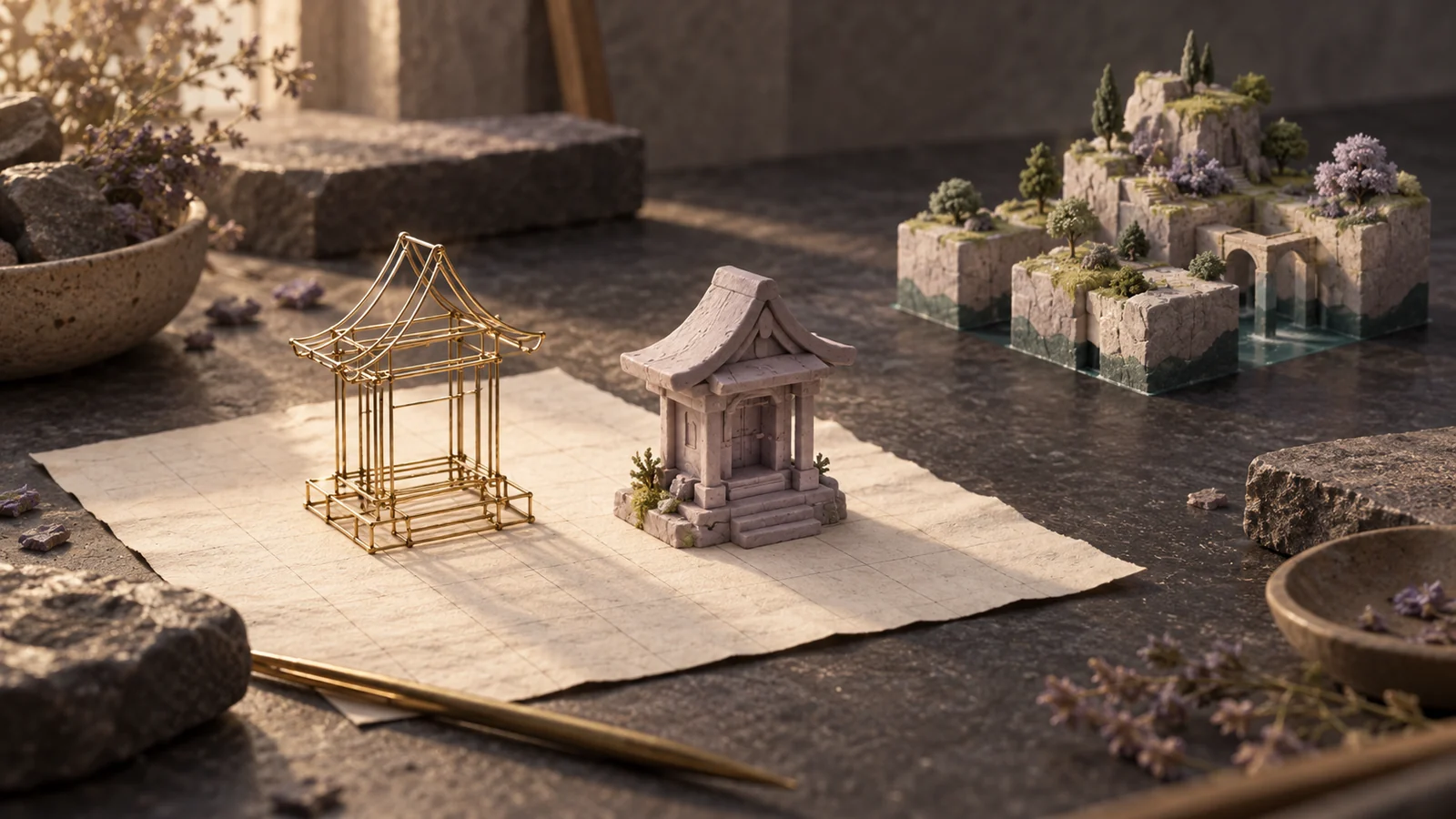
A brass wireframe shrine and a solid clay shrine stand on a paper grid, separated from a small island model in the background.
A model on the workbench, an island beyond it. AI-generated editorial illustration, not the actual shrine or a game capture.

A small shrine looks promising on the workbench. It has a shape, a palette and a base. Turn it around and there is something pleasing to look at from the other side too.

Now give it a place on the island.

Where does it meet the ground? What can stand in front of it? When someone points at its roof, what do they select?

The object has acquired neighbours. That changes the questions.

Keep a way back to the material

SkyStack Builder's Blender experiments keep the editable model beside its exported geometry. Checks follow its size, origin, surfaces and materials through that journey.

Those details have a practical purpose. An object should arrive at the size we meant, with its base where we expect it. If it doesn't, there should be a way back to the material that made it.

The generation script keeps existing revisions rather than silently replacing them. An earlier attempt remains available to return to, compare or try differently.

Looking becomes doing

A separate native pilot draws real mesh geometry and gives it a small set of controls: orbit, zoom, recenter and select.

A click and the beginning of a drag can look much alike. The pilot gives them a boundary. A small click selects; moving far enough begins an orbit. Losing focus or mouse capture clears the gesture.

That is a modest detail with a large place in the experience. Someone came to choose an object. The view should not move away from them by accident. Someone came to look around. The object should not be selected merely because that movement began over it.

The model is becoming something a person can act upon.

Give it neighbours
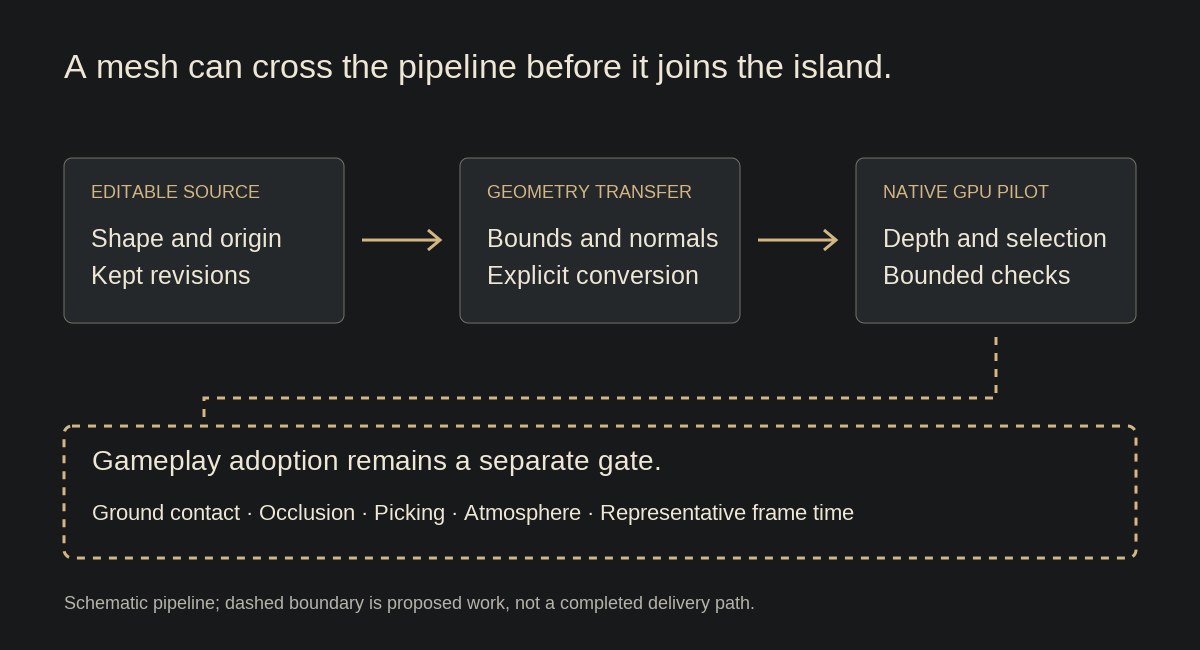
Editable source, geometry transfer and a separate native mesh pilot lead to an unfinished gameplay stage: ground contact, occlusion, selection, atmosphere and frame-time checks.
From material to a place in the world. The final boundary marks work still to investigate; the diagram does not show completed gameplay adoption. Open the full-size diagram ↗

The shrine's asset checks and the pilot's mesh scene are separate pieces of work. Together they give us useful material for the next experiment. They do not yet show the shrine living among the game's terrain, weather and characters.

A roof that is easy to select alone may become awkward beside a taller block. A base that looks settled on an empty grid may float above a slope. Put several copies together and their silhouettes may stop feeling distinct.

These are questions about the object in company.

Try one place properly

The next study would choose one asset and one use for it. Put it somewhere the player has a reason to visit. Look from both sides and from above. Try selecting it with a neighbour in the way.

Ask what the object seems to be for and what the person expects to happen when they choose it. Observe the scene's performance as well as its appearance. Keep the earlier representation available for comparison.

A beautiful model is a beginning. There is another kind of satisfaction in finding where it belongs.